
Contents
- What Are NASA 3D Models?
- Where Can You Download NASA 3D Models?
- What NASA 3D Models Are in the Library?
- Which File Format Should You Choose for NASA 3D Models?
- How to Download Your First NASA 3D Model
- How to 3D Print NASA 3D Models at Home
- How to Use NASA 3D Models in Blender
- NASA 3D Models in the Classroom
- Are NASA 3D Models Free to Use?
- Best NASA 3D Models to Start With
- Frequently Asked Questions About NASA 3D Models
- Conclusion: NASA 3D Models
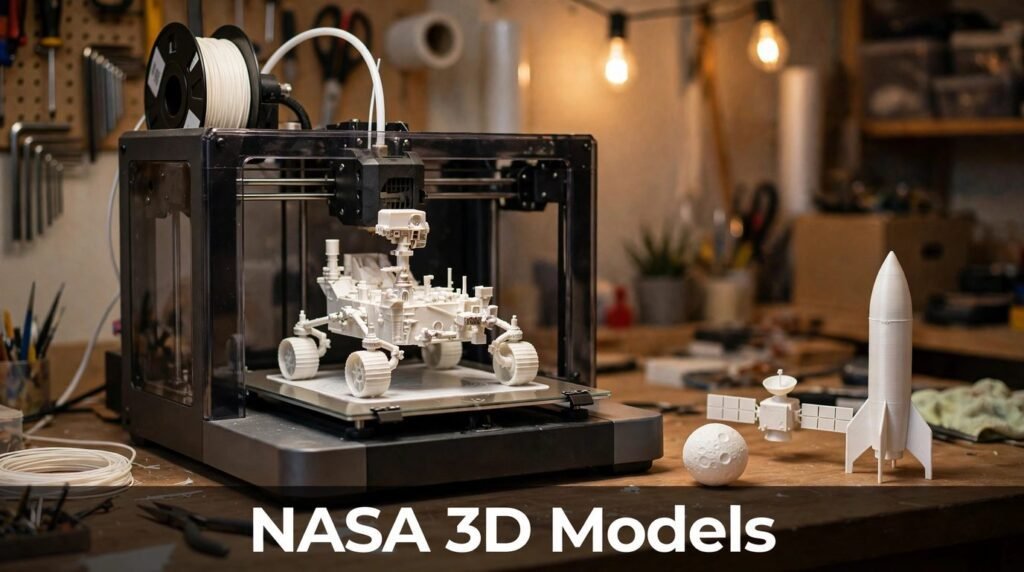
With NASA 3D models, you can hold a Mars rover in your hand. Not a toy version dreamed up by a designer, but a model built from NASA’s own mission data. You can print it, spin it around on your screen, or drop it into a classroom lesson. And it costs nothing.
That is the quiet surprise behind NASA 3D models. NASA, the same agency that flies rovers and telescopes, also runs a free library of 3D models. Spacecraft, planets, asteroids, landing sites, astronaut tools — all sitting there, free to download.
Most space fans have never heard of it. They search for paid models, or settle for rough fan-made copies, when the real thing is already public. This guide fixes that. You will learn what the library is, where to find it, which file format to pick, and how to actually use a model once you have it.
The short answer: NASA 3D models are free 3D files of real spacecraft, planets, asteroids, rovers and telescopes, offered through NASA’s 3D Resources hub. You can download them without an account, print the STL files on a home 3D printer, or open the OBJ, FBX, glTF and Blender files in 3D software for renders, lessons, games and AR or VR projects.
What Are NASA 3D Models?
NASA 3D models are digital three-dimensional files created from real mission data. They are not guesses. Many of them started life as engineering models, visualisation files, or terrain data gathered by actual spacecraft.
Think of it this way. When NASA builds a rover, engineers work in 3D. When a probe maps an asteroid, it records shape data. When a telescope photographs a nebula, scientists can turn that information into a 3D form. Some of that work ends up in the public library.
The result is a strange and wonderful collection. You will find famous spacecraft next to lumps of rock, whole landing sites next to a single wrench. It feels less like a shop and more like a museum store room that someone left unlocked.
Why NASA Gives Them Away
NASA is a US government agency, and most of its material is not subject to copyright in the United States. That is why so much NASA imagery, video and data is free to use. The 3D library follows the same spirit.
The agency also has a clear motive. It wants people to learn, build and create with space. A student who prints a Moon model remembers the Moon. A teacher who shows a spinning asteroid holds a class’s attention. A maker who builds a rover learns how a real rover works.
So the library is part outreach, part education and part open data. You are the intended audience, whether you own a 3D printer or just a laptop.
What Makes Them Different From Other Free Models
Free 3D model sites are full of spacecraft. Most of them are fan art. They look good in a thumbnail and fall apart when you look closely. Proportions are wrong. Details are invented. Antennas point the wrong way.
NASA models come from the source. The shapes match the real hardware. The terrain matches real places. That matters if you care about accuracy, and it matters even more in a classroom, where a wrong model teaches the wrong lesson.
There is a trade-off, though. Real mission models were not always made for home printers. Some are heavy, dense files with far more detail than a desktop printer can handle. Others were built for animation, not printing. Knowing which file to grab is half the skill, and we will cover that below.
Where Can You Download NASA 3D Models?
The main home for the collection is NASA’s 3D Resources hub. The older address, nasa3d.arc.nasa.gov, now leads into the same hub, so there is effectively one place to browse. The collection is also mirrored on GitHub under the name NASA-3D-Resources, which suits people who want the whole catalogue or want to track changes over time.
You do not need an account. You do not need to sign in, hand over an email address, or install anything special to browse. You find a model, open its page, and download the files.
How the Hub Is Organised
The hub is organised around missions and topics, not file types. That catches first-time visitors off guard. You will browse by spacecraft, planet or mission rather than by a neat list of STL files.
That is actually a good thing. It means you discover things. You go looking for a Mars rover and stumble across an Apollo landing site. You search for a telescope and find a nebula model beside it.
Each model’s page tells you what you are getting. Check the file format before you download. Some assets are print-ready STL files. Others are visual models in glTF, GLB or Blender format, made for screens rather than printers. Downloading the wrong type is the most common beginner mistake, and it wastes time.
A Quick Note on the GitHub Mirror
The GitHub mirror holds the same collection in repository form. It is handy if you want to download in bulk or keep a local copy of the library. It is also large, well over a gigabyte in total, so do not try to grab everything at once on a slow connection.
For most people, the hub itself is the better starting point. Browse, pick one model, download that one file, and learn the workflow. Bulk downloading can wait until you know what you actually want.
What NASA 3D Models Are in the Library?
The range is wider than most people expect. It covers hardware, places and objects, and it keeps growing as new missions add their models. Here is what you will find inside.
Spacecraft and Probes
This is the heart of the collection. Classic probes sit alongside modern missions. Voyager, the farthest-travelling human-made object, is there. So is Cassini, the Saturn orbiter. Mars orbiters, deep-space probes and crew capsules such as Orion appear too.
These models are the ones people print and put on desks. They make good display pieces because their shapes are distinctive. A Voyager model is recognisable at a glance, even at four inches long.
Rovers and Landers
Rovers are the stars of the printable collection. The Mars rovers, including Curiosity and Perseverance, are available as models you can build. NASA’s Jet Propulsion Laboratory released print-ready STL files and assembly instructions for a simplified Perseverance rover, made from 39 separate printed parts that snap together into wheels, a robotic arm, a chassis and more.
That is a weekend project, not a quick print. But it shows what the library can do. You are not just downloading a shape. You are building a working model of a machine that is driving on another planet right now.
Planets, Moons and Asteroids
The library also holds worlds themselves. There are terrain models of the Moon, including the near side and the far side as a pair, so you can feel the difference between them. Mars crater formations appear too, along with asteroid shapes mapped by visiting spacecraft.
These are brilliant teaching tools. A flat photo of a crater never lands the way a physical model does. Hand a student a printed asteroid and they understand at once that these rocks are lumpy, pitted and irregular.
Telescopes and Instruments
Telescopes and scientific instruments have their own corner of the collection. They tend to suit screen work more than printing, because their shapes are delicate and full of thin parts. In Blender or a web viewer, though, they look superb.
Landing Sites and Nebulae
Some of the most unusual models are places rather than objects. Apollo landing sites are available as terrain models, so you can print the ground where astronauts actually walked. Nebula models, including the Pillars of Creation, turn deep-space images into forms you can rotate and study.
These are the models that surprise people. Nobody expects a nebula to be downloadable. Yet there it is, free, waiting for a classroom or a render.
Which File Format Should You Choose for NASA 3D Models?
File format decides what you can do with a model. Pick wrong and you will fight your software for an hour. Pick right and everything just works. Here is the simple version.
| Format | Best for | Watch out for |
|---|---|---|
| STL | 3D printing | No colour or textures, shape only |
| OBJ | General 3D work and printing | Textures often sit in separate files |
| FBX | Animation and games | Larger files, best in full 3D software |
| glTF / GLB | Web viewers, AR and VR | Not ideal for 3D printing |
| .blend | Blender renders and animation | Needs Blender to open |
STL: The Printer’s Format
STL is the standard for 3D printing. If your goal is a physical object, look for the STL version first. It stores shape only, no colour and no texture, which is fine for a printer. Your slicer software will open it directly.
Many NASA models offer STL files scaled to about four inches on their longest side. That size fits most home printers and keeps print times sensible. You can scale up later once you know a model prints well.
OBJ: The All-Rounder
OBJ is the most flexible format in the library. It works in almost every 3D program, from Blender to classroom tools. It can carry textures, though those often arrive as separate image files, so keep the whole download folder together.
If you are unsure which format to pick, OBJ is a safe default for screen work. It is also printable in many slicers, which makes it a useful middle ground.
FBX, glTF and Blender Files
FBX suits animation and game engines. If you are building a scene in Unity or Unreal, or animating a spacecraft, start here. glTF and GLB are the modern formats for the web, AR and VR. They are compact, carry textures well, and load fast in browsers.
Blender files, ending in .blend, are the richest option for renders. They often arrive with materials and textures already set up. The catch is obvious: you need Blender, which is free, but you need to learn its basics first.
How to Download Your First NASA 3D Model
Downloading is simple. The hard part is choosing. Follow these steps and you will have a file in five minutes.
- Open the NASA 3D Resources hub and use the search or browse by mission.
- Pick a model you actually want to use, not just the first one you see.
- Read the model’s page. Check the format, the file size and whether it is marked printable.
- Download the file that matches your goal: STL for printing, OBJ or glTF for screen work.
- Save it in a folder named after the model, and keep any texture files with it.
- Open it in your slicer or 3D software before you print or render anything.
Start With One NASA 3D Model, Not Ten
Beginners always download ten models at once. Then they spend an evening wondering why none of them open properly. Resist that urge.
Pick one model. Learn how it behaves in your software. Print it small first, or render it once, and see what needs fixing. That single success teaches you more than ten half-opened downloads.
Check the File Size First
Some NASA models are small and light. Others are huge, dense files built for professional visualisation. A heavy file can slow Blender to a crawl or crash a basic slicer.
If a file is very large, look for a simpler version on the same page, or a printable STL version. The printable versions are usually cleaned up and lighter. Your computer will thank you.
How to 3D Print NASA 3D Models at Home
Printing a NASA model is the most satisfying way to use the library. You start with a file and end with an object you can hold. Here is how to do it well.
Pick a Beginner-Friendly NASA 3D Model
Start with something solid and simple. A Moon terrain model is ideal. It is one piece, it has no thin antennas to snap off, and it prints cleanly. An asteroid is another good first print for the same reason.
Save the Perseverance rover for later. It is a brilliant project, but 39 parts, supports and assembly will test your patience. Build your confidence first, then take on the rover.
Prepare the File in Your Slicer
Open the STL in your slicer — Cura, PrusaSlicer and Bambu Studio all work. Check the size first. Most NASA printable files are scaled to around four inches, which is a good test size.
Look at the model from all sides. Thin parts, overhangs and floating details will need supports. Turn supports on for spacecraft with antennas and dishes. Use a brim or raft if the model has a small base and might tip over.
Choose Your Settings
For a first print, keep it simple. A 0.2 mm layer height gives a good balance of detail and speed. Use 15 to 20 percent infill for a display model; it does not need to be solid. PLA plastic is the easiest material and suits almost every NASA model.
Do not chase fine detail on your first attempt. A clean, successful print at normal settings beats a failed print at ultra-fine settings every time.
Print Small, Then Go Big
Print your first version small. If it works, print it bigger. A Moon model at four inches looks good. The same model at eight inches looks stunning on a shelf, but it takes far longer and uses far more plastic.
Scaling up also reveals flaws. A detail that looked fine at small size can become a weak point at large size. Test small, learn the model’s weak spots, then commit to the big print.
Common NASA 3D Models Printing Problems
Most failed NASA prints fail for the same few reasons. The model was a visual file, not a printable one. The file was too detailed for a home printer. Or the supports were missing where they were needed.
If a print fails, do not blame the printer first. Open the model in your slicer and look for red areas, floating parts and paper-thin walls. Fix those, or pick the STL version that NASA marked as printable, and try again.
How to Use NASA 3D Models in Blender
Blender is free, powerful and the natural partner for this library. Many NASA models arrive with Blender files, and even the OBJ and FBX versions open cleanly in it.
Opening a Model
Start by importing, not opening. In Blender, use File, then Import, then pick the format that matches your file. OBJ, FBX and glTF all import well. If a .blend file is available, open that directly instead, since it may already have materials set up.
Once the model loads, check its size. Space models sometimes import very large or very small. Select the model, scale it to a sensible size, and apply the scale before you do anything else. That one step prevents a string of odd problems later.
Fixing Textures
If your model loads grey and flat, the textures are probably missing. This usually means the texture image files are not in the same folder as the model, or Blender cannot find them.
Keep every file from the download together in one folder. Then, in Blender’s shading view, check whether the image textures are linked. Re-link any that show as missing, and the colour and surface detail should return at once.
Making a Good Render
A good render needs three things: light, background and camera angle. Add a large, soft light above the model. Put it against a dark background, which suits space subjects far better than white. Then move the camera low, so the spacecraft looks heroic rather than flat.
Do not overdo it. NASA models already carry the detail. Your job is to light them well and get out of the way. A clean render of a real spacecraft beats a busy scene every time.
NASA 3D Models in the Classroom
Teachers get more from this library than almost anyone else. The models turn abstract space topics into things students can touch, rotate and explore. And because they are free, there is no budget meeting standing in the way.
A NASA 3D Model Beats a Picture
A photo of the Moon shows craters. A printed Moon lets a student run a finger across them. That physical contact matters, especially for younger students. It turns a distant object into something real.
The same applies to asteroids. Students imagine asteroids as smooth balls. Hand them a printed asteroid and they see at once that it is lumpy and uneven. That single moment corrects a misconception no diagram could fix.
Ideas That Work in Lessons
Use a rover model when you teach Mars. Let students assemble it in groups and talk about what each part does. Wheels, arm, antenna, power source — every piece is a lesson.
Use terrain models when you teach the Moon landings. Print an Apollo landing site and ask students to find where the lander would have touched down. Use a nebula model when you teach stars, and let students rotate it to see that a flat image hides real depth.
For Students Without a Printer
Not every school has a 3D printer. That does not shut you out. The glTF and OBJ models open in free web viewers and in Blender, which runs on ordinary school computers.
A student can rotate a spacecraft on screen, zoom into its instruments, and screenshot it for a project. That is still a richer experience than a textbook picture, and it costs nothing.
Are NASA 3D Models Free to Use?
Yes, for most purposes. NASA’s 3D assets are free to download and use, and NASA material is generally not subject to copyright in the United States. That covers personal use, education and informational projects.
There are still rules, and they matter. Always check the NASA Images and Media Usage Guidelines on the model’s page or on NASA’s site before you use a model in anything public.
What You Can Do With NASA 3D Models
You can print models for yourself, your classroom or your home. You can use them in lessons, presentations and personal renders. You can share your prints and your images, with credit to NASA where sensible.
You can also use them in many creative projects, including videos and games, as long as you follow the usage guidelines. The key point is that the models are meant to be used, not locked away.
What to Avoid With NASA 3D Models
Do not use NASA models or imagery in a way that suggests NASA endorses your product, company or cause. That is the rule NASA cares about most. A model of a rover on your desk is fine. A rover on the packaging of a product, implying NASA approved it, is not.
Be careful with the NASA logo and insignia too. Those have their own restrictions, separate from the models themselves. When in doubt, leave logos off and credit NASA in plain words instead.
Can You Sell a Print?
This is the question everyone asks, and the honest answer is: check the guidelines first. NASA material is generally free to use, but commercial use has conditions, and you must not imply endorsement. If you plan to sell prints, read the current usage guidelines carefully before you list anything. Rules can change, and a short check now saves trouble later.
Best NASA 3D Models to Start With
If you are staring at the hub and cannot choose, start here. These are proven, popular and forgiving for beginners.
| Model | Why start here | Best use |
|---|---|---|
| Moon terrain, near and far side | Simple, solid, prints cleanly | Desk model, classroom |
| Perseverance rover | Iconic, a real assembly project | Weekend build |
| Voyager probe | Classic shape, instantly recognisable | Display shelf |
| Cassini orbiter | Elegant Saturn mission craft | Render or print |
| Apollo 11 landing site | A real place with a great story | Teaching |
| Orion crew capsule | Clean shape, modern NASA hardware | Display or lesson |
The Moon Terrain
The paired Moon terrain models are the best first print in the whole library. They are simple, they rarely fail, and they teach something real: the far side of the Moon looks very different from the side we see. Print both, put them side by side, and you have a conversation piece.
The Perseverance Rover
This is the project to aim for once you have a few prints behind you. Thirty-nine parts sounds daunting, and it is a real build. But the assembly instructions walk you through it, and the finished rover is a genuine showpiece. It is also a great group project.
Voyager and Cassini
Voyager and Cassini are the classic spacecraft models. They look wonderful on a shelf and they render beautifully on screen. Their dish antennas and long booms need care in printing, so use supports and print them at a sensible size.
Apollo Landing Sites
An Apollo landing site model is quieter than a spacecraft, but it carries more meaning. This is real ground, mapped from orbit, where astronauts walked. In a lesson, it beats any photograph. At home, it is a reminder of what the library is really for: bringing real places within reach.
Frequently Asked Questions About NASA 3D Models
Are NASA 3D models really free?
Yes. The models in NASA’s 3D Resources hub are free to download and use, and NASA material is generally not subject to copyright in the United States. Check the NASA Images and Media Usage Guidelines before public or commercial use.
Do I need an account to download them?
No. You can browse and download from the 3D Resources hub without creating an account or giving an email address. The GitHub mirror is also public.
Can I 3D print NASA models?
Yes, many of them. Look for models marked as printable and download the STL version. Some models are visual only and were made for screens, so always check the format on the model’s page before you print.
What software do I need to open NASA 3D models?
For printing, a slicer such as Cura, PrusaSlicer or Bambu Studio is enough. For screen work, Blender is free and opens OBJ, FBX, glTF and .blend files. Simple web viewers can open glTF files with no software at all.
Can I use NASA 3D models in a YouTube video or a game?
In most cases, yes, for personal, educational and informational projects. Follow the NASA Images and Media Usage Guidelines, credit NASA, and do not imply that NASA endorses your video, game or product.
Why does my model look broken in my slicer?
It is usually one of three things. You downloaded a visual model instead of the printable STL version. The file has more detail than a home printer can handle. Or the model has thin or floating parts that need supports. Try the printable version, print it small first, and turn supports on.
Can I sell a 3D print of a NASA model?
Check the current NASA usage guidelines before you do. NASA material is generally free to use, but commercial use has conditions, and you must not suggest NASA endorses what you sell. Read the guidelines first and keep your listing honest.
Conclusion: NASA 3D Models
NASA 3D models are one of the best free resources on the internet, and one of the least known. Real spacecraft, real terrain, real mission data, free to download and free to use. No account, no payment, no catch beyond reading the usage guidelines.
Start small. Download one model. Print the Moon, or open Voyager in Blender, and see how it feels. Once that first model works, the rest of the library opens up. The rover build, the classroom lesson, the render you have been meaning to make — they all start with that one download.
Space is far away. These models bring a small piece of it into your hands.
Read Also: ISS Detected Atmospheric Waves: What NASA Found (2026)
1 Comment