
You know that moment: you’re cleaning out a closet, and you find a binder of old trading cards. Maybe it’s Pokemon from the late 90s, maybe it’s baseball cards your dad collected, maybe it’s a stack of Magic: The Gathering cards you swore you’d “deal with later.” You fan them out, spot a holographic Charizard, and think the same thing everyone thinks: is this thing worth anything?
You type the card name into Google. And almost immediately, one name keeps showing up in the results: PriceCharting. It looks like a stock chart, but for cardboard. Prices going up, prices going down, little green and red arrows everywhere.
If you’ve ever wondered what PriceCharting actually is, where its numbers come from, and whether you can trust them when real money is on the line — this guide covers all of it. No fluff, no hype, just how the thing works and how collectors actually use it.
The short answer: PriceCharting is a free price-guide website that tracks what trading cards, video games, comics, coins, and other collectibles are actually selling for. It pulls data from completed sales on eBay and other auction marketplaces, filters out weird outliers, and shows you an average market price plus a full price history for each item. Collectors use it to check card values, price their listings fairly, and spot market trends before buying or selling.
What Exactly Is PriceCharting?
PriceCharting is an online price guide for collectibles. Think of it like a stock ticker, except instead of shares of Apple, it tracks the market value of a first-edition Charizard, a sealed copy of Super Mario 64, or a PSA 10 Luka Doncic rookie card.
The site covers a surprisingly wide range of categories: Pokemon, Magic: The Gathering, Yu-Gi-Oh!, Disney Lorcana, One Piece cards, sports cards, video games and consoles, comic books, US coins, and even LEGO sets. If people collect it and sell it online, there’s a decent chance PriceCharting tracks it.
What made it popular is simple: it answers the one question every collector has, instantly and for free — what is this worth right now? Search for an item, and you get a current market price, a chart of how that price has moved over time, and a list of recent actual sales. That combination is what separates it from a random forum post saying “yeah, that card goes for about fifty bucks.”
Where Do PriceCharting’s Prices Come From?
This is the part most people get wrong, so let’s be precise: PriceCharting does not set prices, and it does not guess. Every number on the site is derived from real, completed sales.
The Sold-Listings Engine
PriceCharting’s core data source is completed sales from eBay — the world’s largest marketplace for collectibles. When a card or game actually sells on eBay, that sale feeds into PriceCharting’s database. The site also pulls from other major auction marketplaces such as Heritage Auctions, PWCC, Goldin, and Fanatics, which is why you sometimes see prices backed by high-end auction results alongside everyday eBay sales.
Why does this matter? Because sold listings are the only prices that mean anything. Anyone can list a Charizard for $50,000. That doesn’t make it worth $50,000. What it sold for — what a real buyer actually paid — is the market speaking. PriceCharting is built entirely on that principle.
How the Algorithm Turns Sales Into One Number
A single card might sell 40 times in a month at 40 different prices. PriceCharting uses a proprietary algorithm to distill all of that into one market price. Here’s what it does behind the scenes:
- Filters out outliers. A sale at five times the normal price — maybe a mis-listed auction, a shill bid, or a buyer who overpaid in a bidding war — gets identified and excluded so it doesn’t drag the average up.
- Averages across a recent window. The price reflects a defined period of recent sales, not one lucky or unlucky transaction. That’s why it’s more reliable than glancing at the last two or three sold listings yourself.
- Weights by sales volume. Items with lots of recent sales produce more statistically reliable averages. The site shows a confidence indicator based on how many sales went into the number.
- Splits by condition and grade. The same card in different conditions gets a separate tracked price — which is where the graded vs. ungraded distinction comes in.
The honest caveat: because prices are averaged over a window of past sales, there’s always a short lag between what the market is doing right now and what PriceCharting shows. For slow-moving items, the lag doesn’t matter. For a card that’s spiking this week, it does. We’ll come back to that.
How Do You Look Up a Card’s Value on PriceCharting?
Looking something up takes about thirty seconds. Here’s the whole process:
- Search the item. Type the card or game name into the search bar. Be specific — set name, card number, and edition matter enormously. “Charizard” will return dozens of results; “Charizard Base Set 1st Edition #4” gets you the right one.
- Pick the right listing. PriceCharting separates versions: different sets, printings, languages, and holo vs. non-holo all have their own pages. Click the one that matches your item exactly.
- Check the condition that matches yours. This is the step people skip. A raw, played card and a gem-mint graded copy are different products with wildly different prices. Select the condition or grade that matches what you’re holding.
- Read the market price and the chart. You’ll see the current average price, the recent sales behind it, and a price-history chart. If the chart is climbing, you might wait to sell; if it’s falling, you might buy now or sell quickly.
- Scan the recent sales list. Don’t just take the headline number. Look at what individual copies actually sold for recently — dates, prices, and which marketplace. Ten sales clustered around $80 tells you more than a single average.
That’s it. No account needed, no paywall. The site also offers a free mobile app (listed as “PriceCharting: TCG, Games+” on iOS) with the same data, plus extras like collection tracking, a wishlist, photo-based card identification, and alerts when wishlist items get listed below market value.
What Does “Graded vs Ungraded” Mean on PriceCharting?
This distinction trips up more beginners than anything else on the site, so let’s clear it up properly.
Ungraded (Raw) Cards
“Ungraded” — also called “raw” — means a card that has never been professionally graded. It’s just the card, in whatever condition it’s in: maybe near mint, maybe played, maybe pulled from a pack yesterday. PriceCharting tracks a market price for ungraded copies, which is what most casual sellers are dealing with.
Graded Cards
A graded card has been sent to a professional grading company — PSA, BGS (Beckett), CGC, SGC, TAG, and ACE are the names you’ll see — which authenticates it, seals it in a tamper-proof slab, and assigns it a numeric grade, usually 1 through 10. A PSA 10 means gem mint: essentially perfect.
PriceCharting breaks graded prices out by tier, so you’ll see separate tracked values for PSA 9, PSA 10, BGS 10, CGC 10, and so on. This matters because the gap between grades can be enormous. Here’s a simplified illustration of how grade affects value:
| Condition / Grade | Typical Price Relationship | Who It’s For |
|---|---|---|
| Ungraded (played) | Lowest — condition varies | Casual sellers, players |
| Ungraded (near mint) | Baseline market price | Most collectors |
| Graded PSA 9 | Often 1.5–3x the raw price | Serious collectors |
| Graded PSA 10 | Can be 3–10x+ the raw price | Investors, set registry builders |
Those multipliers aren’t universal — for common modern cards the gap is smaller, and for ultra-rare cards it’s bigger — but the pattern holds: the better the grade, the steeper the premium. One practical takeaway: never compare your raw card to a PSA 10 price and assume that’s what you’ll get. Check the ungraded price, and be honest about your card’s condition.
Should You Grade Your Cards?
Grading costs money and takes time, so it’s not worth it for every card. The rough rule collectors use: if the price difference between the raw card and a realistic grade for your copy (be honest — most cards come back 8s and 9s, not 10s) is comfortably larger than the grading fee plus shipping, it’s worth considering. PriceCharting’s app even offers grading recommendations, flagging ungraded items in your collection that would gain the most value from grading.
What Do “Loose,” “CIB,” and “New” Mean for Video Games?
PriceCharting started with video games before expanding into cards, and games use a different condition system. For any game title, you’ll typically see three tracked prices:
- Loose — just the cartridge or disc, no box, no manual. Cheapest by a wide margin.
- CIB — “Complete in Box”: the game plus its original box and manual. Usually worth several times the loose price.
- New — factory sealed, never opened. The premium tier; for popular titles, a sealed copy can be worth many times the CIB price.
Same logic as graded cards: condition is everything. A loose copy of an old game might be a few dollars while a sealed one is hundreds. Always match the condition to what you actually have.
How Accurate Is PriceCharting?
For most collectors, most of the time, it’s the best free reference available — and here’s why. The prices come from completed sales, not asking prices. The averaging smooths out flukes. The outlier filtering catches the weird stuff. Compared to asking a forum or trusting a seller’s “market price,” it’s dramatically more grounded.
But “accurate” has limits, and you should know them:
- It’s an average, not an appraisal. Your specific copy’s condition, centering, and eye appeal can push it above or below the number. The price is a starting point, not a verdict.
- Thin markets are noisy. If a card sells twice a year, the “market price” is built on very little data. Treat low-volume numbers as rough estimates.
- It lags fast movers. When a player has a breakout game or a new set drops, prices can swing in days. An averaged price takes time to catch up — so for hot items, cross-check the most recent individual sales rather than trusting the headline number alone.
- Regional differences exist. The data skews toward US marketplaces. Prices in other regions can differ, especially for sealed product and graded cards.
The smart way to use it: treat PriceCharting as your baseline, then adjust with your eyes and judgment. If the last five sales are all above the site’s average, the market has moved — believe the sales.
What Is the PriceCharting Price History Chart, and How Do You Read It?
Every item page includes a price history chart, and it’s arguably more useful than the current price. The chart plots the item’s market price over time — monthly data points stretching back as far as the site has tracked that item, which for popular video games can go back many years.
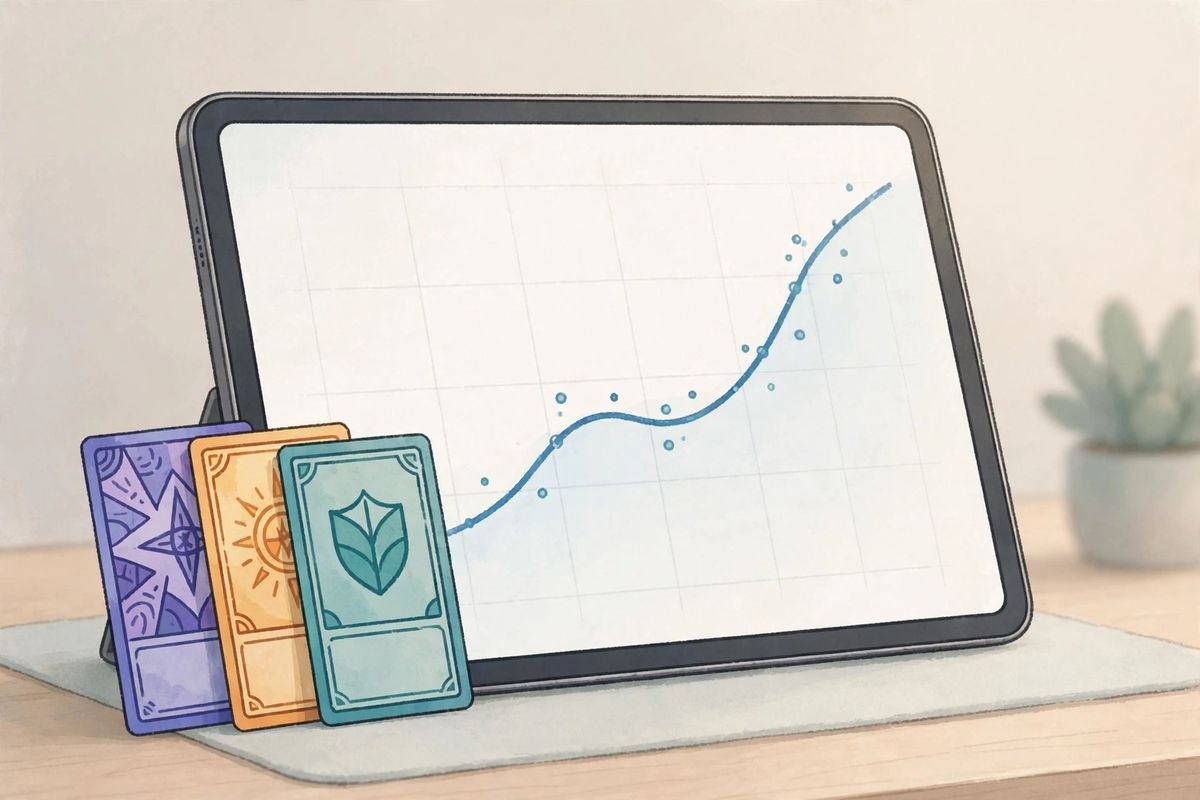
Here’s how collectors actually read it:
- Direction: Is the line trending up, down, or flat? A steady climb suggests growing demand; a long decline suggests the hype faded.
- Spikes: Sudden jumps usually have a cause — a new set release, a viral moment, a player’s breakout season. Spikes often cool off, so buying at the peak is risky.
- Seasonality: Some items move in cycles. Sports cards heat up during the season; Pokemon tends to surge around new releases and anniversaries.
- The long view: Zoom out. An item that’s up 5x over five years but down 20% this month is still a strong long-term hold — context kills panic.
One underrated use: the chart tells you when not to buy. If a card doubled in the last month on hype alone, history says patience usually pays.
How Do Collectors Use PriceCharting to Buy and Sell Smarter?
Beyond the occasional “what’s this worth” lookup, serious collectors build PriceCharting into their routine. The most common plays:

- Pricing listings fairly. Sellers check the market price before listing so they don’t leave money on the table — or price themselves out of a sale.
- Spotting underpriced listings. Buyers compare asking prices against the market average. A listing 20% below market on a card you know is legit? That’s the deal.
- Timing the market. The price history chart informs the oldest question in collecting: buy now or wait?
- Tracking a collection’s value. The app lets you log your collection and watch its total value move over time — genuinely fun during a bull run, slightly painful during a dip.
- Wishlist alerts. Add cards you want, and get notified when one gets listed below market value on eBay. It’s the closest thing to having a deal-hunting assistant.
- Negotiating with data. “PriceCharting has this at $120 based on the last 15 sales” ends more haggling arguments than any opinion ever could.
What Are PriceCharting’s Limitations?
No tool is perfect, and PriceCharting’s blind spots are worth knowing before you rely on it for a big transaction:
- Averaging hides momentum. The headline number can lag behind what cards actually sold for yesterday — a real problem for fast-moving markets where a card can jump significantly in days.
- You can’t always drill into every sale. The headline is an aggregate. When the context behind the number matters — was that high sale a PSA 10 slab or a raw copy? — you sometimes need to dig into individual sold listings yourself.
- Condition is self-reported upstream. The underlying sales data comes from marketplace listings, where “near mint” means different things to different sellers. Garbage in, slightly averaged garbage out.
- Niche items have thin data. Obscure promos, misprints, and low-population items may have too few sales for a meaningful average.
- It’s US-centric. International collectors should treat the numbers as a reference point, not gospel, for their local market.
None of this makes PriceCharting bad — it makes it a starting point. The collectors who get burned are the ones who treat any single number as the final word. If you want a broader view of how online price tools work across different hobbies, the tech explainers over at The Modern Post cover similar ground for other collector markets.
What Are the Best PriceCharting Alternatives?
PriceCharting is the default reference for a lot of collectors, but it’s not the only game in town. Here’s how the main options compare:
| Tool | What It Does | Best For | Cost |
|---|---|---|---|
| PriceCharting | Averaged market prices + history from completed sales | Quick value checks across many categories | Free |
| eBay sold listings | Raw completed-sale data, filterable | Verifying individual sales behind any average | Free |
| TCGplayer | Live marketplace pricing for TCGs | Current buy/sell prices for Pokemon, Magic, Yu-Gi-Oh! | Free |
| PSA / auction house results | Realized prices from graded-card auctions | High-end graded cards | Free to browse |
| Card Ladder | Portfolio tracking + analytics for sports cards | Sports card investors | Free / paid tiers |
The honest answer for most people: use PriceCharting as your quick reference, then confirm big decisions against eBay’s sold listings directly. The two together cover nearly everything.
PriceCharting vs TCGplayer: Which Should You Use?
This is the comparison that comes up most in trading card circles, so let’s settle it. They’re different tools for different jobs:
- PriceCharting shows you what items sold for — historical market data averaged across marketplaces, with long price histories. It’s a rearview mirror, and a very good one.
- TCGplayer shows you what items are listed for right now on its own marketplace, plus its own market price metric. It’s a windshield — current, live, actionable.
For checking what your binder is worth or researching a card’s history, PriceCharting wins. For actually buying a card today at a fair price, TCGplayer’s live listings win. Most experienced collectors use both: PriceCharting to understand the market, TCGplayer (or eBay) to transact in it.
Is PriceCharting Free?
Yes — the website and the mobile app are free to use. There’s no paywall on prices, charts, or sales data, which is a big part of why it became the hobby’s default reference. The business runs on the ecosystem around the data rather than charging collectors for lookups, so you can check a hundred cards without hitting a limit or a subscription prompt.
Frequently Asked Questions About PriceCharting
Is PriceCharting accurate?
It’s one of the most reliable free references available because its prices come from actual completed sales rather than asking prices, with outliers filtered out. But it’s an average with a short lag, not an appraisal of your specific copy — always cross-check big decisions against recent individual sales.
Does PriceCharting track graded card prices?
Yes. It separates ungraded (raw) prices from graded prices, and breaks graded values out by grading tier — PSA 9, PSA 10, BGS 10, CGC 10, SGC 10, and others where data is available. Always make sure you’re looking at the grade that matches your card.
Can I use PriceCharting to value my whole collection?
Yes — the site’s mobile app lets you build a collection list and track its total market value over time, plus a wishlist with alerts when items get listed below market value on eBay.
Why is the PriceCharting price different from what I see on eBay?
A few reasons: eBay’s active listings show asking prices, which are often aspirational; PriceCharting shows sold prices averaged over a window, so it lags fast moves; and you may be comparing different conditions or grades without realizing it.
Does PriceCharting work for sports cards?
Yes — sports cards are one of its core categories, alongside Pokemon, Magic: The Gathering, Yu-Gi-Oh!, Lorcana, video games, comics, coins, and LEGO.
How often are PriceCharting prices updated?
Prices refresh as new completed sales feed in from eBay and other tracked marketplaces. Because the headline number is an average over a recent window, expect a short lag between a market move and the reflected price — especially for fast-moving items.
Should I sell at the PriceCharting price?
Treat it as a well-informed starting point, not a mandate. Check the recent individual sales, consider your card’s actual condition, factor in fees and shipping, and look at the price trend. If the chart is climbing and recent sales are above the average, you can reasonably ask for more.
Conclusion
PriceCharting earned its place as the hobby’s default price guide by doing one thing well: turning the chaos of thousands of completed sales into a single trustworthy number, backed by a full history you can inspect. It’s free, it’s fast, and for the everyday question of “what’s this worth,” it’s usually right.
The collectors who get the most from it are the ones who understand what it is — an average of real sales, with a short lag — and what it isn’t: an appraisal, a crystal ball, or a substitute for looking at actual recent transactions. Use it as your baseline, verify the big ones, and you’ll buy and sell with a confidence that guesswork never gave you. For more plain-English explainers on the tools collectors actually use, 9bio publishes similar guides across tech and hobbies.
Read Also: How Do Galaxies Form? From Dark Matter Halos to Spiral Arms (Explained Simply)

1 Comment